Step-by-step installation
-
1
Download the ZIP file
Click Download ContextWizard ZIP above and save the file to a location you can find, such as your Downloads folder.
The ZIP contains the full extension source so your browser can run it in developer mode.
-
2
Unzip the archive
Locate the downloaded ZIP file, then unzip it:
- On macOS: double-click the ZIP file in Finder.
- On Windows: right-click the ZIP and choose Extract All….
You should end up with a folder named something like
ContextWizard-crx-latest. Keep this folder in a permanent location (not inside your browser cache or trash). -
3
Open the extensions page
In Chrome, open
chrome://extensionsin the address bar. In Edge, useedge://extensions. You will see the extensions management screen.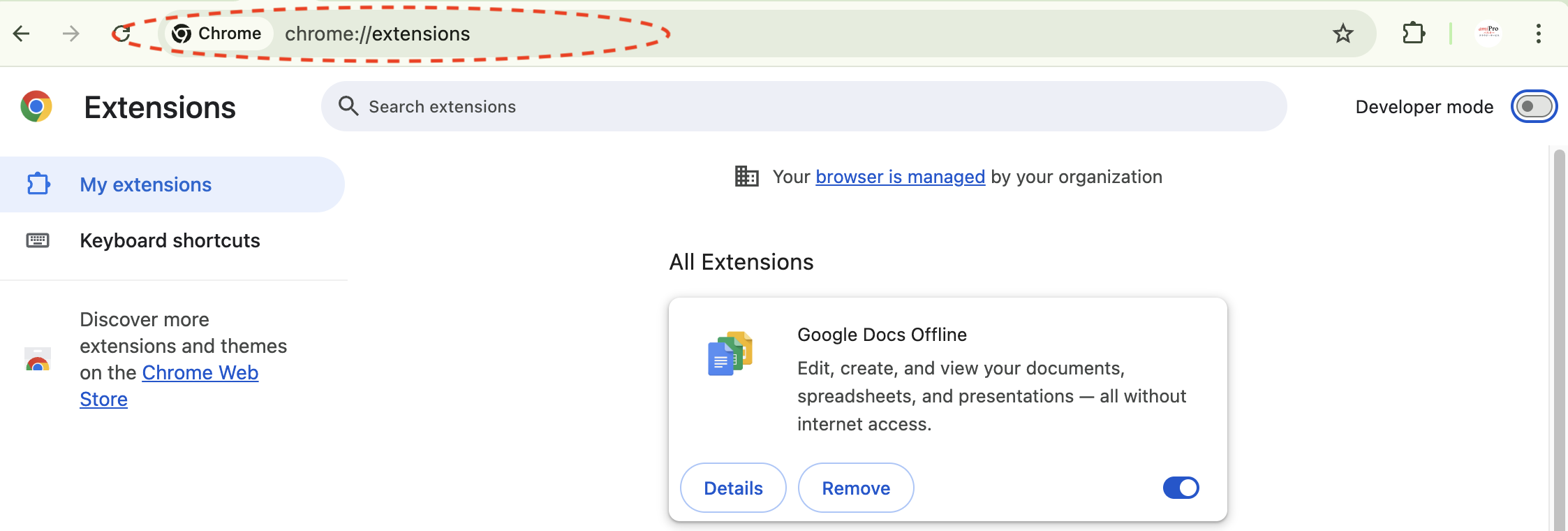
This is where you manage, enable, and remove extensions in your browser.
-
4
Enable developer mode
Turn on Developer mode using the toggle in the top-right corner of the extensions page.
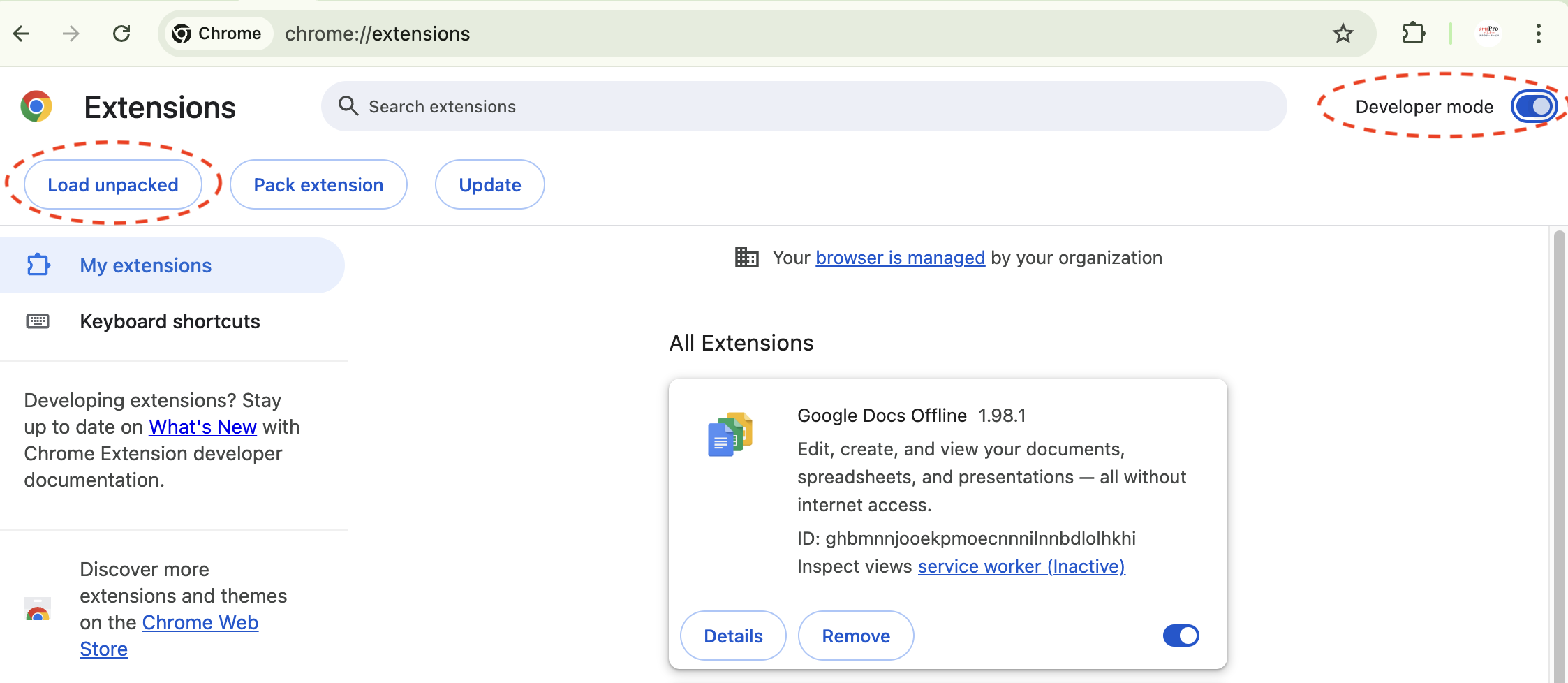
When Developer mode is on, you should see a Load unpacked button near the top of the page.
-
5
Load the unpacked extension
Click Load unpacked and choose the folder you unzipped in Step 2.

In the file picker, select the folder (for example,
ContextWizard-crx-latest), not the ZIP file.After loading, your browser will add ContextWizard to the list of installed extensions.
-
6
Pin and open ContextWizard
Pin the extension so it is easy to reach, then open it in a new tab.
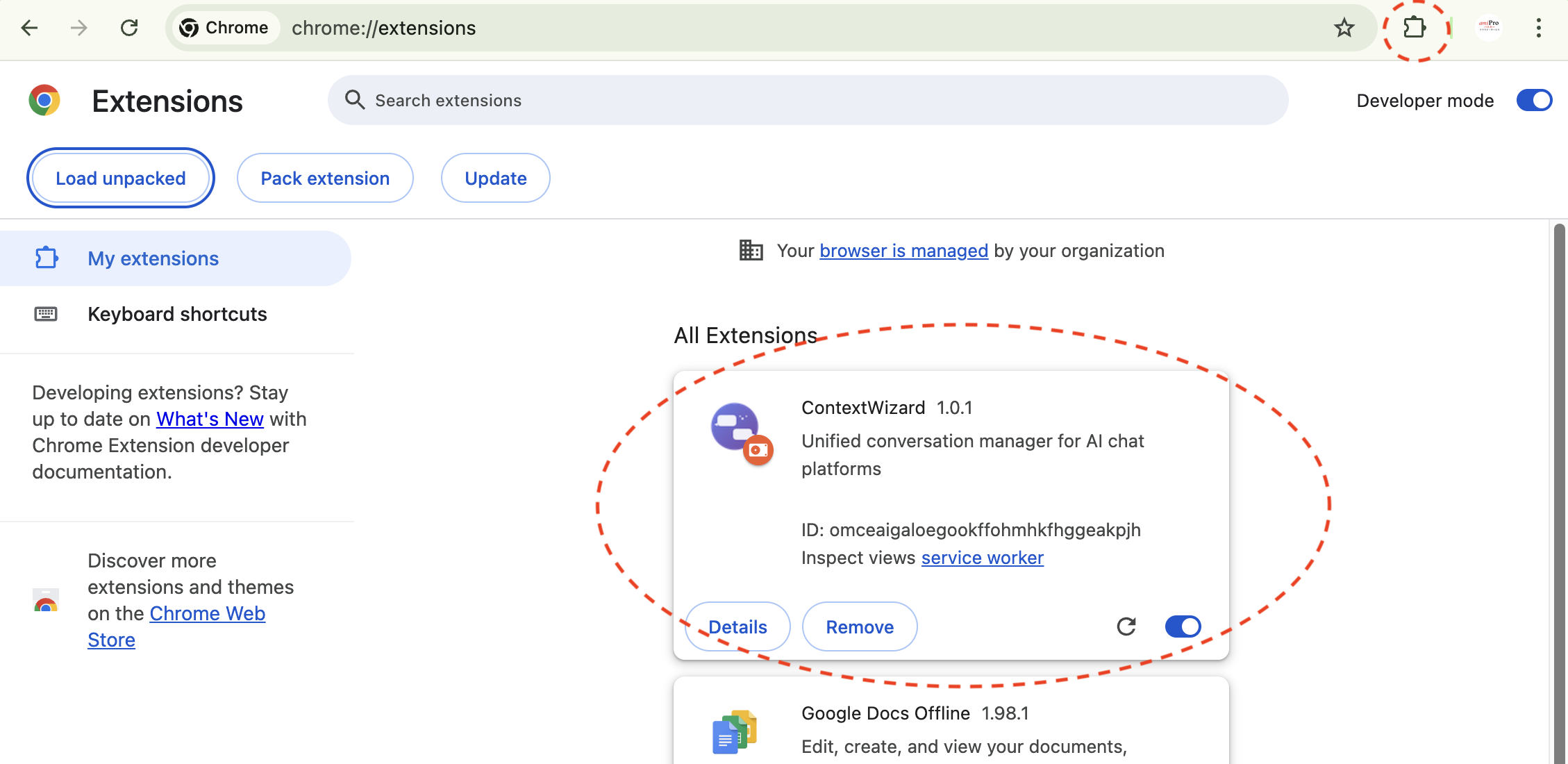
- Click the puzzle icon (Chrome/Edge), then pin ContextWizard.
- Click the ContextWizard icon or open the extension's page to start using it.
Your conversations stay local on your machine. You can remove the unpacked extension at any time from the extensions page.